Описание
DocsGPT — открытая платформа вопросов-ответов по документации: загрузка баз знаний компании в разных форматах, ответы со ссылками на источники, выбор LLM — от OpenAI до локальных моделей, готовые интеграции и API, самохостинг через Docker Compose, популярное решение для внутренних корпоративных баз знаний.
Что умеет:
— отвечать на вопросы по документации;
— давать ссылки на источники;
— работать с любыми LLM;
— разворачиваться на своём сервере.
Полная документация ниже — автоматически из репозитория arc53/DocsGPT (ветка main). Оригинальные материалы проекта распространяются на условиях его лицензии.
DocsGPT 🦖
Open-source AI agents grounded in your docs. Private, self-hosted, any model.



⚡️ Quickstart •
☁️ Cloud •
📖 Docs •
💬 Discord •
🗞 Blog
English |
Deutsch |
Español |
日本語 |
Русский |
简体中文 |
繁體中文
[!TIP]
Self-host in one command. On macOS and Linux:curl -fsSL https://docs.ac/install | bashOn Windows (PowerShell):
irm https://docs.ac/install.ps1 | iex
🎃 Hacktoberfest 2026: T-shirts for meaningful contributions, all October. See HACKTOBERFEST.md.
Supported by


Why DocsGPT
DocsGPT turns your documents, sites and connected apps into AI agents that answer with sources. Build agents and
visual workflows, give them tools, and put them in your product through a widget, an OpenAI-compatible API or an
MCP server. It runs entirely in your environment with the model of your choice, cloud or local, and everything,
including SSO, teams and quotas, is MIT licensed.
Quickstart
The installer above checks for Docker, installs the docsgpt command and
runs docsgpt up, which asks who should reach DocsGPT and which model to use. A local install opens at
http://localhost:7091.
Prefer Docker Compose, pip, Kubernetes or an air-gapped install? See Choose a deployment.
Just want to try it? Use DocsGPT Cloud.
Features
- 🤖 Agents and deep research: agents with their own prompt, knowledge, tools and model, plus a research mode for multi-step answers.
- 🔀 Visual workflows: chain agents, conditions, state and sandboxed code in a drag-and-drop builder.
- 📚 Knowledge from anywhere: PDFs, Office files, web pages, audio and more, kept in sync from Google Drive, SharePoint, Confluence, GitHub, S3 and others, with GraphRAG.
- 🔎 Answers with sources: every answer cites the documents it came from.
- 🛠️ Tools and actions: web search, any REST API, MCP servers, artifacts and code in a sandbox, and shell on paired devices.
- 🧠 Any model: OpenAI, Anthropic, Google, Groq, OpenRouter, or local models through Ollama, vLLM and other OpenAI-compatible servers.
- 🛡️ Guardrails: flag, redact or block PII, secrets, prompt injection and ungrounded answers.
- ⏰ Schedules and webhooks: run agents on a timer or from any system that can send an HTTP request.
https://github.com/user-attachments/assets/d36bbd7d-c23c-4ab8-8777-b432632d6882
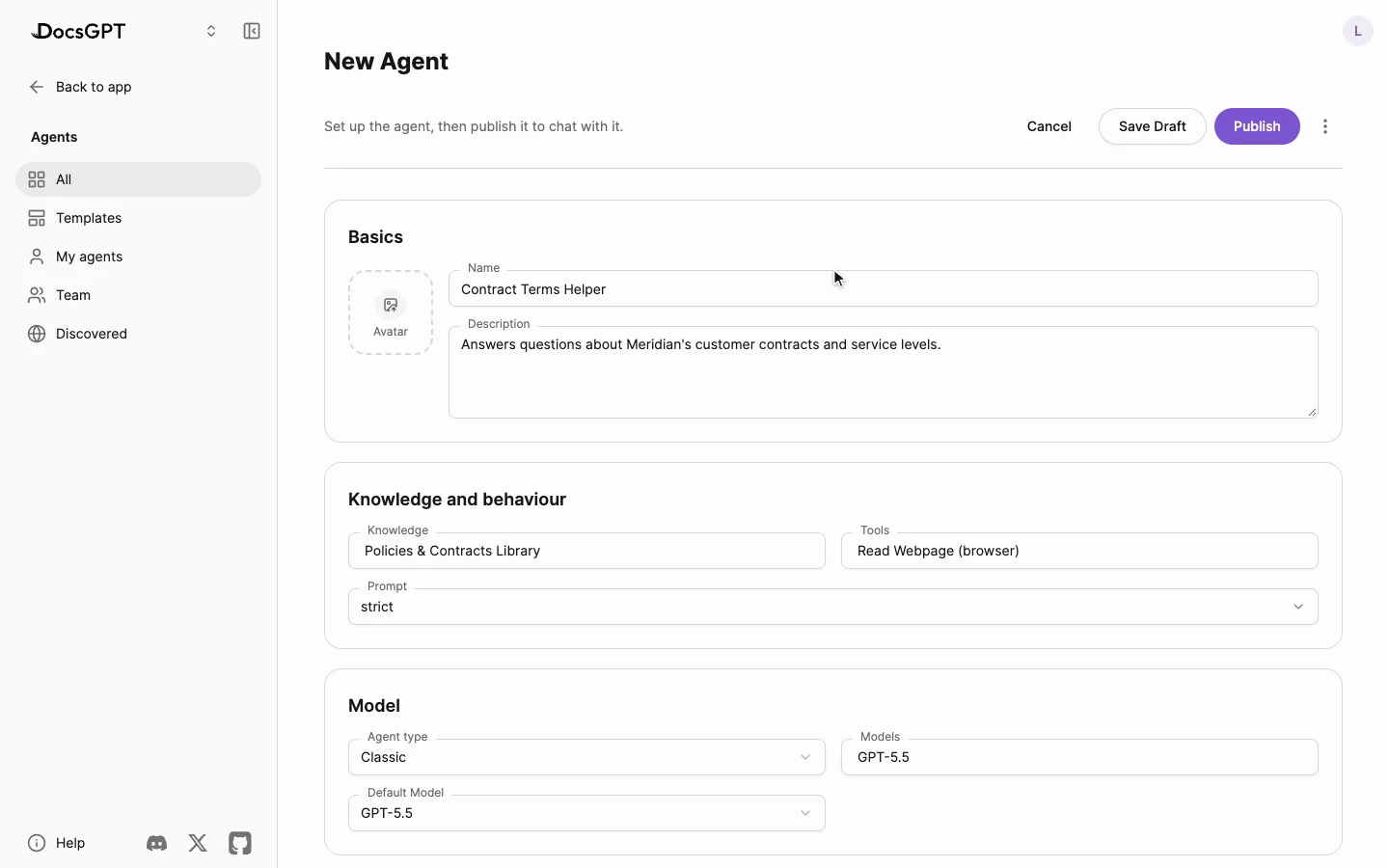
Agents: knowledge, tools and a prompt, published in a click |
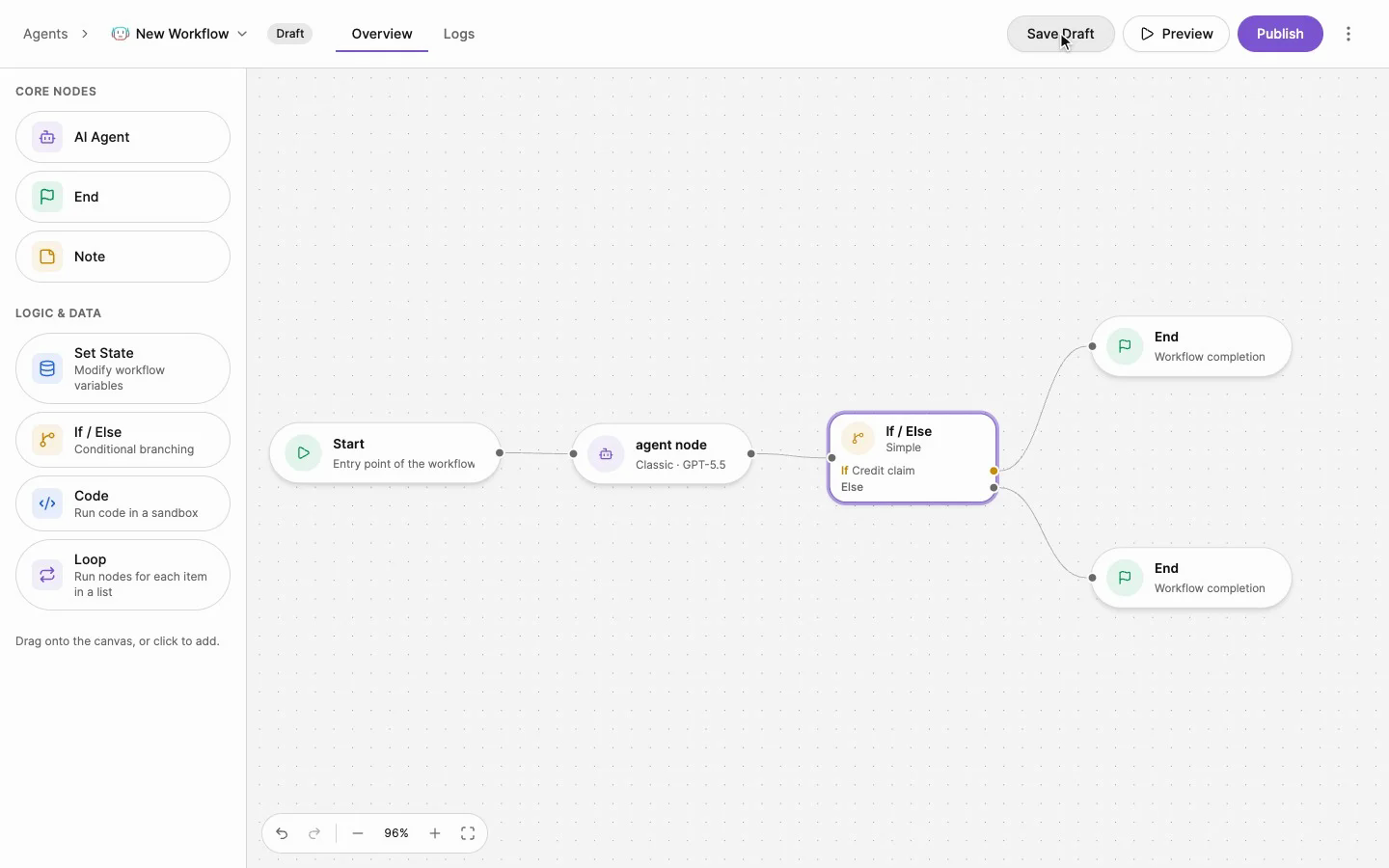
Workflows: agents and logic on one canvas |
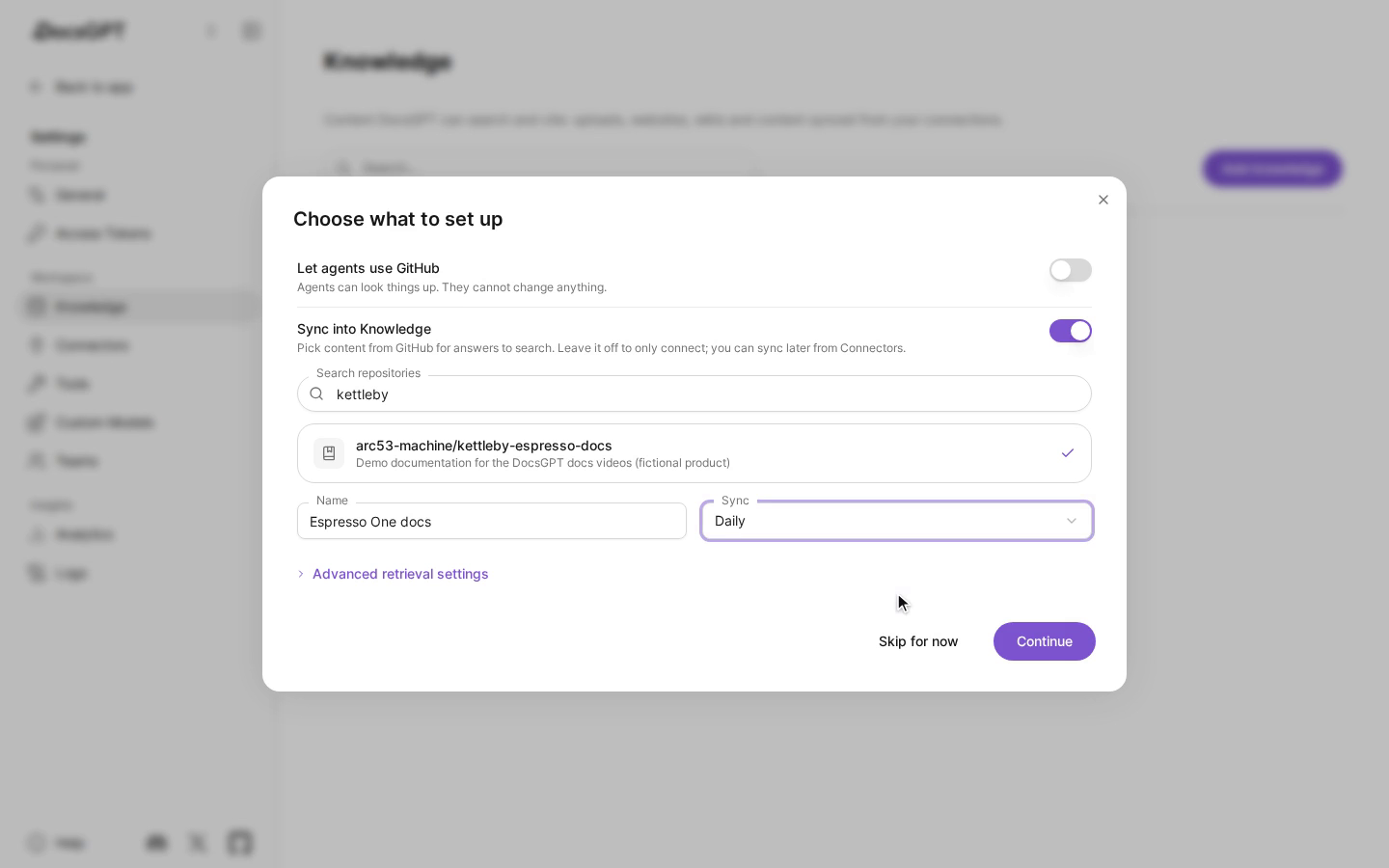
Knowledge: connect a service and keep it in sync |
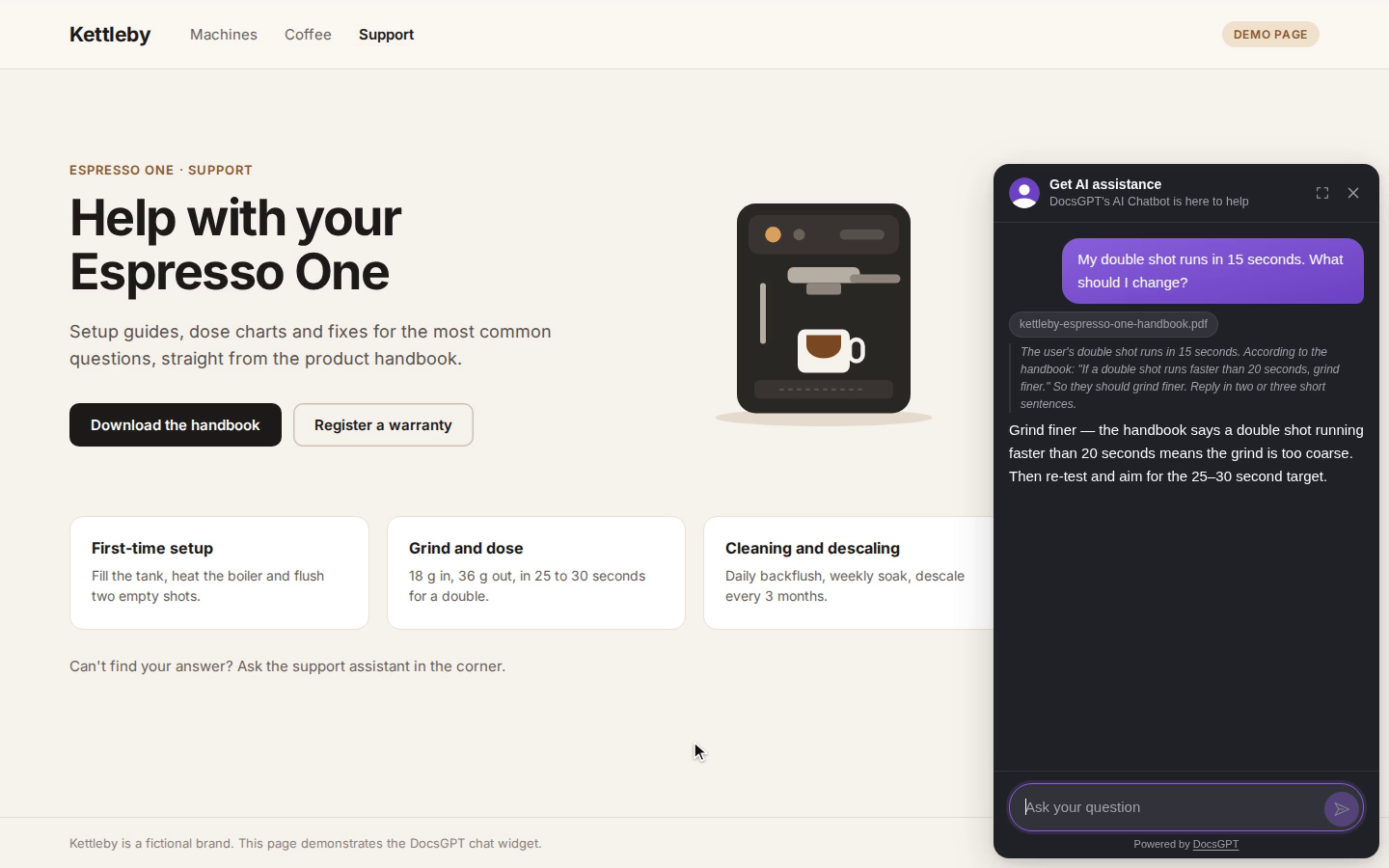
Widget: your agent on any website |
See the documentation for everything else.
Use it anywhere
- Web app: chat, agents, knowledge and settings in the browser.
- Chat and search widgets: drop an agent into any site with a script tag or the React package.
- OpenAI-compatible API: point any OpenAI SDK at
/v1, or use the Agent API and webhooks. - MCP server: let Claude, Cursor or any MCP client search your agent’s knowledge.
- Chat apps and the terminal: bots for Discord, Slack and Telegram, and the DocsGPT CLI. More in community integrations.
Private by design
Everything runs inside your environment: the API, the worker, Postgres, Redis, your vector store and your files.
Pick a cloud model provider or run models and embeddings locally, even air-gapped.
flowchart LR
    Users["Web app, widgets,<br/>API and MCP clients"] --> API
    subgraph Yours["Your environment"]
        API["DocsGPT API"] <--> Redis["Redis"]
        Redis <--> Worker["Worker<br/>ingestion and embeddings"]
        API --> Data[("Postgres, vector store<br/>and files")]
        Worker --> Data
        Local["Local models<br/>(optional)"]
    end
    API -.-> Local
    API -.-> Cloud["Cloud model provider<br/>(optional)"]
Read the architecture guide and the
security checklist before exposing DocsGPT beyond your machine.
Self-host
After the one-command install, the docsgpt command manages the stack:
docsgpt status     # version, address and health
docsgpt logs       # follow the logs
docsgpt upgrade    # upgrade and restart on the new version
docsgpt backup     # back up the database and uploaded data
docsgpt down       # stop (data and settings stay)
See the CLI reference for every command. Other ways to run it:
Docker Compose,
pip,
Kubernetes,
air-gapped, or
from a clone with the setup script.
To work on DocsGPT itself, see the development environment guide.
For teams
- Single sign-on: OIDC and SCIM provisioning.
- Access control: roles, teams and sharing for agents, knowledge and tools, with an audit log.
- Usage quotas: token and spend limits per user and team.
- Insight: analytics, logs and traces, plus OpenTelemetry.
Deploying DocsGPT for your company? Get a demo or
email us.
Contributing
We welcome issues, questions and pull requests. Start with CONTRIBUTING.md, browse the
roadmap and the changelog, and say hi on
Discord. Please follow our Code of Conduct.
Tech stack and project structure
- Backend: Python, Flask and flask-restx behind a Starlette ASGI app (uvicorn/gunicorn), Celery with RedBeat, Pydantic settings.
- Data: PostgreSQL (SQLAlchemy, Alembic), Redis, and FAISS, pgvector, Elasticsearch, Qdrant, Milvus or MongoDB for vectors.
- Frontend: React, Vite, Redux Toolkit, Tailwind CSS and React Flow.
- Docs: Next.js with Nextra.
Project structure:
docsgpt/: the backend and thedocsgptcommand (API, agents, tools, retrieval, parsers, worker).frontend/: the web UI.extensions/: the Chatwoot bridge and the React widget (published to npm asdocsgpt).deployment/: Docker Compose files, Kubernetes manifests, the installer scripts and the sandbox image.docs/: the documentation site at docs.docsgpt.cloud.tests/andscripts/: tests, and maintenance and migration scripts.
License
DocsGPT is MIT licensed.