Описание
GitButler — десктопный клиент Git с собственной моделью ветвления: изменения разбиваются на независимые виртуальные ветки, которые можно свободно переставлять, объединять и превращать в обычные коммиты. Интеллектуальное определение зависимостей между изменениями, интеграция с GitHub, удобная работа с серией коммитов одновременно, открытый код на Rust и TypeScript.
Что умеет:
— управлять несколькими виртуальными ветками параллельно;
— автоматически определять зависимости изменений;
— превращать виртуальные ветки в коммиты и PR;
— работать с привычными Git-репозиториями.
Полная документация ниже — автоматически из репозитория gitbutlerapp/gitbutler (ветка master). Оригинальные материалы проекта распространяются на условиях его лицензии.

GitButler
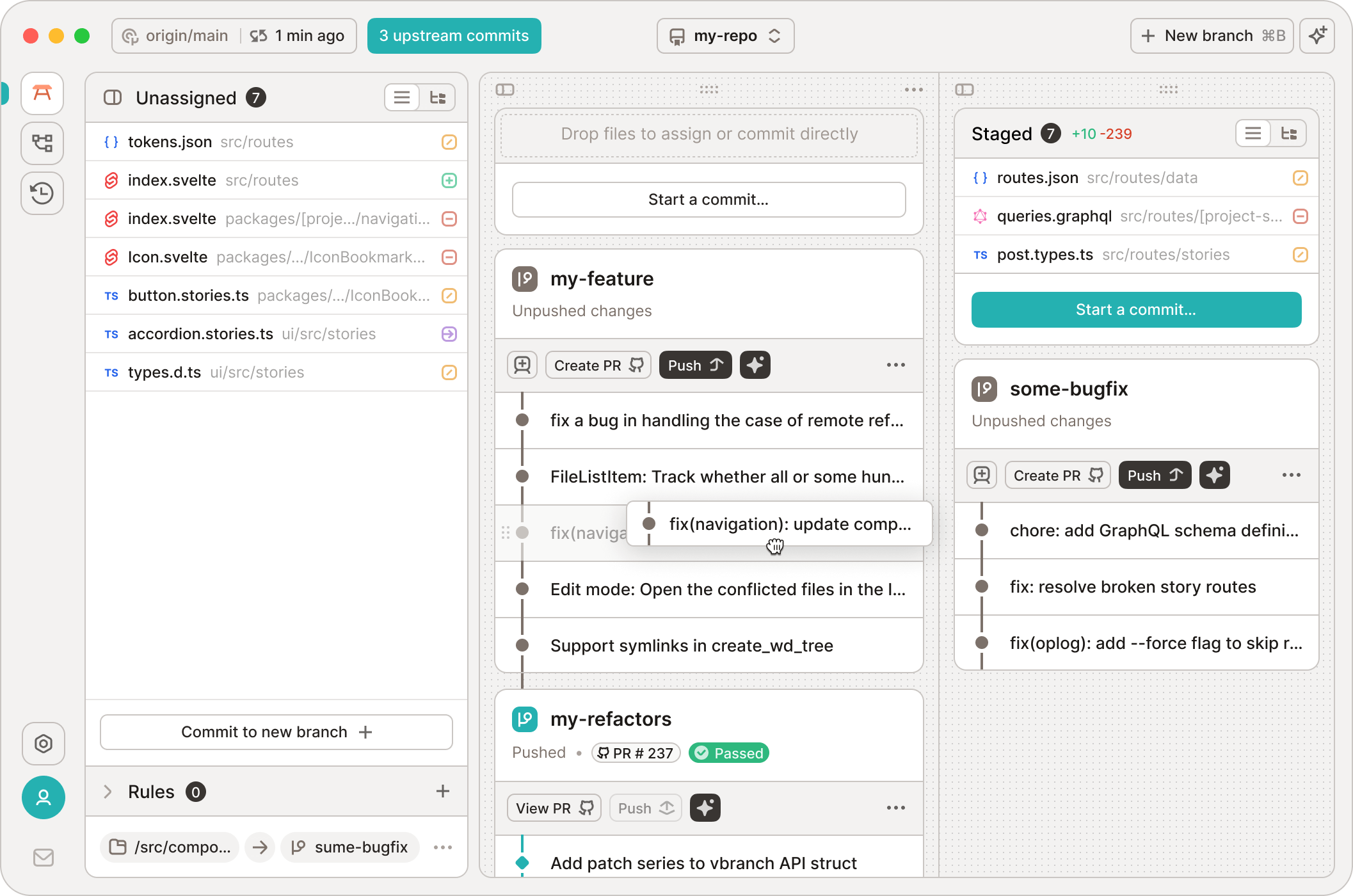
Our beautiful GUI
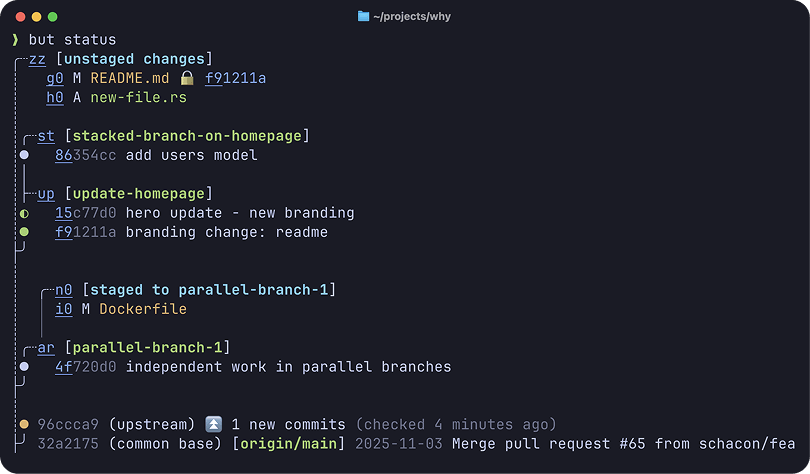
Our amazing but CLI




GitButler is a powerful new Git-based version control system, designed from scratch to be simple, powerful and flexible. It is designed for ease of use and modern agentic workflows.
It features stacked branches, parallel branches, unlimited undo, easy commit mutations, forge integrations and more.
Works instantly in any existing Git repo as a friendlier and more powerful drop-in Git user interface replacement – for you and your agents.
Why use GitButler instead of vanilla Git? What a great question.
- Stacked Branches (gui, cli)
- Effortlessly create branches stacked on other branches. Amend or edit any commit easily with automatic restacking.
- Parallel Branches (gui, cli)
- Organize work on multiple branches simultaneously, rather than constantly switching branches.
- Easy Commit Management (gui, cli)
- Uncommit, reword, amend, move, split and squash commits by dragging and dropping or simple CLI commands. Forget about
rebase -i, you don’t need it anymore.
- Uncommit, reword, amend, move, split and squash commits by dragging and dropping or simple CLI commands. Forget about
- Undo Timeline (gui, cli)
- Logs all operations and changes and allows you to easily undo or revert any operation.
- First Class Conflicts (gui, cli)
- Rebases always succeed. Commits can be marked as conflicted and resolved at any time, in any order.
- Forge Integration (gui, cli)
- Authenticate to GitHub, GitLab, or Bitbucket to easily open and update Pull Requests, list branches, get CI statuses and more. No other tools required.
- AI Tooling (gui, cli)
- Use built-in AI handlers to help create commit messages, branch names, PR descriptions and more.
- Easily install hooks or skills for all modern agent systems to level up their Git management.
Documentation
You can find our end user documentation at: https://docs.gitbutler.com
Bugs and Feature Requests
If you have a bug or feature request, feel free to open an issue,
or join our Discord server.
License
The TLDR is that GitButler is under a Fair Source software license, meaning that you can use it, view the source, contribute, etc. You just can’t build a competitor with it. It also becomes MIT after 2 years. So, MIT with an expiring non-compete clause.
Contributing
So you want to help out? Please check out the CONTRIBUTING.md
document.
If you want to skip right to getting the code to actually compile, take a look
at the DEVELOPMENT.md file.